Wednesday, 20 March 2013

Sweet as Spring Design House Digital Blog hop Treasure Hunt

To celebrate the official coming of spring in the US and the UK, we bring you a sweet new blog hop, “Sweet as Spring!”  Start at Design House Digital blog, and visit a bunch of blogs belonging to Design House Digital artists – designers & creative team members.   At each blog, you will learn something new from one of our Design House Artists.
There will be a clue at each stop, and you will need to write them down and put the clues together to form a coupon code.  If you follow the whole hop in order, you will be able to get a mega kit for free: “Sweet as Spring – a blog hop treasure! “  what a stunning kit I think you'll agree and it can all be yours FREE (No purchases required)
 

Twelve designers contributed a total of 67 elements, 51 papers, and 4 alpha sets , and this gorgeous kit, and the treasure is worthy of the journey.  But, in addition, everyone who downloads the kit before Wednesday, March 27, will also be entered into a drawing for a $15 gift certificate to the Design House Digital shop!

We have a challenge for you, too: build something amazing of your own!  Using just the Sweet as Spring collaboration kit (and your own photos, of course), create your own project and put it into our Sweet  as Spring Challenge Gallery.  If you post your project before April 17, you will be entered into another drawing for a $15 gift certificate to the Design House Digital shop, but the challenge gallery will remain open afterwards, and we would love to see your layouts any time.
MY LAYOUT AND GIVEAWAY

I love this kit its beautiful . The colours are subtle and warm but still fresh looking I loved playing with it and here is my Layout

  
There is also a little related give away from me too.
You can download it here
Now to the Blog hop itself

MY LETTER IS H

You can use the list below of all of the stops in the blog hop, or you can jump directly to the next blog: (Qadirah Gomez):


·        Sarah Sullivan
·        Vanessa Fenton
·        Inkling and Wit
·        Diane Rooney
·        Mary Moseley
·        Kristin Damon
·        Imaginenation
·        Courtney VanSickle
·        Kandy Caballero
·        Krystal Winn
·        Tracey Allen
·        Qadirah Gomez
·        Kelly Birrell
·        Amy Lanham
·        Sweet as Spring – a blog hop treasure!


Tuesday, 19 March 2013

Very Busy week and very exciting news

Well its been absolutly manic this week.

I've done a Hybrid Tutorial for Design House Digital showing how you can change digital element into real Metal Elements for your Hybrid projects.

I only had 2 hours to actually make and photograph the project , so its not quite as stunning as I would have liked but I think its fairly impressive for something put together in 2 hours. Anyway here it is


If you would like to know how I made this you can see the tutorial on the Design House Digital blog in the Hybrid Tutorial From Digital to Metal post

BIG BIG NEWS

Tommorow at 2pm GMT Design House Digital will be having a Blog Hop Treasure Hunt, if you follow the Hunt from start to finish you will collect the code to download this amazing kit totally for free.Plus there are chances to win 2 $15.00 download codes from Design House Digital


Isn't it lovely. I adore the colours and it brilliant to use. Its so lovely I couldn't just stop at one layout so my 1st layout is below.

My second layout can be seen on my blog tommorow , and when you hop to my blog tommorow at 2pm GMT to collect my Blog hop letter,  you will see my second layout , and you will be able to download a bonus kit item The Sweet as Spring Border as seen above

See you tommorow

Rattytatty


Friday, 15 March 2013

A couple of layouts and a quick card topper

Well I've been very busy the last few weeks

1st of all there is my Mothers day cards

 
The doily backgrounds are Cheery Lynn designs and this is the French flair set. They are beautiful, but even with the cuttle hugger plate and thin paper the cutting was less than perfect and it was difficult and quite scary putting it through the cuttlebug. Even though I taped it down it moved slightly due to having to run it though the machine a number of times. However I was pleased with the finished card eventually.
 
I also had to do a couple of birthday cards, which will be posted at a later date.


As you maybe aware I am now a Decorator for  Design House Digital  and  they have got a lot of new launches this week and as  one of their decorators, I've been busy using some of the new launches to create various items.

The 1st new release I used is Hippitty Hopperty and features 3 designers work  Michele Scobel, ImagineNation and Kristin Damon.


  I love this collaboration. Love the spring fresh colours.  As soon as I saw this kit I realised that I had found the perfect kit to use for a layout I've wanted to do for ages. My grandson said something very cute when he 1st went down a tubular slide, unfortunately these days your not allowed to take photos in these sort of places , So I didn't have a photo but I did have an idea how I would do the layout, So these papers were just ideal.   So here it is. I think it works.


I put the lo together with Serif Craft Artist 2. It took a little bit of patience to build up the Rabbit hole but I definatly think it was worth it.

I think the collaboration is brilliant for Spring and Easter and don't forget that if you go to the Design House Digital Hipperty Hopperty Blog Post (where you will see all the other decorators creations) and answer this question in the comments What animal usually delivers Easter Goodies?  You will be entered into a draw to win.

 
Hippity Hoppity Collaboration - Peeps Paper Doll By Kristin Damon  I think its soooo cute. So don't forget to comment and good luck.
To see the full collaboration kits you can go to Design House Digital  collaborations
 
Also this week Design House Digital have another collab launching a set of related kits called Allstars Cheerleader and Swimming. Kits are by Imagine Nation and .


Unfortunatly I did not have time to play with these kits, but they are all great, I love the colourways and the banners. Don't forget to comment on the post, If you answer the question What sports do you want Inkling and Wit or Imagine Nation to create another kit for? in the  Allstars   post you will be entered into a draw  to win a gift certificate for the  Allstars Swimming Kit.
 
So to my next creation, This is an arty piece I created using the stunning Arty FX Ocean kit by

 
the fantastic Diana Rooney. I loved this kit to bits as soon as I saw it. See what you think?
 

You can just smell the ocean. I used most of the papers to make the glass tiles . I adore the glitter and sand ,  this kit is just oozing with style. I know that this lit will be used to death, great for all my dolphin and holiday sea/beach layouts

So finally  Its A Colorful World Solid Papers By October Dawn have also been released this week, What a stunning range of solid paper colours with texture as you can see below


 As an experiment I randomly selected a few papers and put them together to create this card topper, using Serif Craft Artist 2. The colours have been selected so well that no matter what papers I put together they looked fantastic.

 
All the items were created or filled with the papers I also used Vanessa Fentons Words 2 Delight and Little Birdie Boho Chic Brushes By Sarah Sullivan.  I loved using the brushes , I outlined in black and got a two colour result which I feel is very effective.
 
So that's it for the mo. TTFN


Saturday, 9 March 2013

Two "Dazzling" layouts and Tutorial sneak peak


This layout is of my neice Morgaine, she had some professional photographs done. Which you are allowed to use however you want. Anyway Design House Digitals new House party collaboration kit Dazzle seemed exactly right for this picture. This lo was created with Tia Hoffmans Complete Dazzle - House Party Collaboration Paper & Elements Full Kit

My second lo also features the Dazzle House Party collaboration and the Dazzle  kits by Courtney VanSickle and the kits by Kandy Caballero both layouts are in the Design House Digital One collab many ways Post (don't forget to comment on the many ways post for a chance to win one of the kits free)


This lo features a picture I was really chuffed that I captured. We go to the same place every year to spot dolphins. There are a lot of regulars there and we always have a laugh at the people who turn up wait 5 mins and leave complaining Huh There are no dolphins. This couple walked away just as the 1st dolphin appeared tossing Salmon.
 
 
My favourite layout from the other DHD decorators is


by Kelly  Birrell. What a stunning layout, although it was very hard to select a favourite as all the designers have made great use of this fabulous kit as can be seen on the  DHD blog post.
 
 
TOMMOROW TOMMOROW I'm going to love shareing a tutorial on Design House Digital this Tutorial shows how to make your own custom glimmer mists to match your projects and Digikits
 
On Sunday after 12pm Just click on the picture below to take you to the DHD BLOG Glimmer mist post


So that's it from me for today. Hope you like this Post
 
Rattytatty


Tuesday, 5 March 2013

What crafting softwear do you use and why?

What crafting software do you use and why? 


Now I don't consider myself an expert, but these are my opinions so far on all the softwareI have used.

So you may wonder what software I own and use or want to use for crafting.


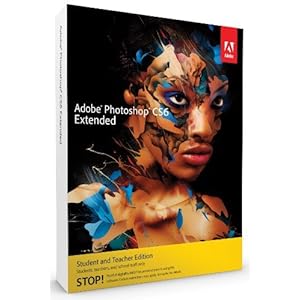
AdobePhotoshop CS3 and trial of CS6

Adobe Illustrator CS6 trial

Craft artist, Craft artist 2

Digital designer by Docrafts

Inkscape

My Craft Studio every version upto Elite
Paint Shop Pro a very old version

Silhouette Studio Designer edition


Adobe Photoshop CS3 and trial of CS6

Full version


I used Adobe Photoshop mainly for editing photos. However I can see how versatile it could  be if I had a great memory. Although my challenge for this year, is to master Photoshop. As I intend to use it for designing.

Its a very professional piece of kit, designed to manipulate images and many many people use Photoshop as their main  scrapbooking tool,  However it is very expensive and can be very daunting for new users and even some old users, like myself, stick to the bits that they know and love. I don't find it that user friendly or intuitive but my brain doesn't necessarily work that way. I am dyslexic and it effects my memory.  If the steps are too long from A to B then it takes me a long time to learn them. Also I get easily distracted whilst trying to achieve one result Ill find another result and get tied up in playing with that one. But as I said this year I am going to master Photoshop. I love many of the new features on Photoshop 6 and am looking forward to playing with them.

If your looking for a plug and play answer to crafting this is  not for you. If you are a quick learner and intend to design professionally then its a fantastic tool.

Pros

Very professional
Versatile
Can work with most images

Cons
Very expensive
Hard to master
Not developed for crafters

Adobe Illustrator CS6 trial

Full version


I want to use illustrator but I do find vector (Drawing with straight lines and curves) programs hard to master and it has the same issues for me that Photoshop has, although again I am going to master Illustrator as I intend to use it for designing cutting files and other items. I can see that drawing with the bezier tool. It draws curves with handles on and once mastered is highly versatile, but mastering the tool takes some practise and until you do you can get some very unexpected results. Again its very expensive,  and again a very professional piece of kit.

Unless you intend to be a professional designer then the soft wear will offer you more challenges than needed for your requirements and you will never get full value from the features it offers.

Pros
Very professional
Versatile
Can work with most images

Cons
Very expensive
Hard to master
Not developed for crafters


If you like the sound of both of these then your best option maybe

Adobe Cloud


Where for a monthly fee you have access to All Adobes creative programs. I have yet to trial this. if I get round to it I will update post.

Pros
Access to all Adobes creative programs
Infinitily cheaper than buying the individual programs

Cons
Have to work online
Dearer than individual solutions

Digital designer by Docrafts (Should be called Docraft digital image mover and in some cases colour changer)


Comes with Docrafts Cd's Although on 1st opening it appears similar to Craft Artist, (although with a more interesting selection of card templates). It has a smaller number of templates in total. It has infinitely less possibilities than both My Craft Studio and Craft Artist basic versions.

 Its really only for use with Docrafts Cd's and if you want to use any of Docrafts Cd's , You'll need this as the Docraft images cannot be legally used with other software, this they claim is to protect their designers copyright. Although this is not a problem for Crafters Companion, Craft Artist's Daisy trail or My Craft Studio, (Even Debbie Moores Cd's and software  and Joanna Sheenes Cd's  are more versatile). After a few tries just to see if it was possible, it really isn't. Their image crashed Craft Artist and they won't open in any other image software. Docraft designers can sleep easy knowing that no one can digitally recolour their images.  If you want to digitally recolour you'll have to print off the stamp recolour them, scan and put it back into the program or in fact another program as a photo LOL. (Although using in another program would be illegal not sure on rescaning back into Docrafts)

 In fact as far as I can tell you can make the images transparent, add  a back glow or drop shadow, re size and flip or take square selections and tile them in a very simple pattern maker oh and make them in to layered decoupage. All very very basic. 

They have some really fantastic shapes in their shapes library but, and its a big but for me. All you can do with them is recolour them they are basically stencils you fill with flat colour ( I can't find any other options for them) Yippee not. You can't even digitally punch out papers which you can do in both MCS and CA2 who I see as their main competition. Also if you want to use other digi kits in this soft wear and I don't see why you would . You have to import it one PHOTO at a time. However I only bought it for the Enchanted Cd's  they are lovely images so I am glad I have the option to use them. But I will also think long and hard before buying any more Cd's as there is no room for real designing and personalising. So the images will have to be to die for, and I'll have to live with not being able to alter them.

We can only hope that Docrafts see sense and make this more of a usable program. I am hopeful as I remember the Docrafts of old who sold scrapbooking paper that was so thin and really basic designs (Oh hose fantastic papers in was it 4  very simple designs in six two tone colours  . They have improved dramatically from that, lets hope they improve on this.

Pros
Free updates for life
Some nice templates and shapes (but that makes me frustrated that I can't use them with other items and that their use is so limited).
Some nice fake embossed papers
Reasonably cheap (but then it would have to be)
Supposed to be developed for crafters, (see cons)

Cons
Does very little
Not that many images on Cd's and no option to recolour.
Seems to have been developed to limit options with images and protect colours and copywrite


Inkscape sorry no Image


When I downloaded it it was quite difficult and came with an installer which added on extra  unrelated software that I didn't want. Not used it a lot yet , Its a free vector program (Drawing with straight lines and curves) great for designing cut files and elements from scratch, again there are easier programs to use. Not really great for basic crafting, more options in other programs. But then again it  is free.

Pros
Free to use
Free to play around with even if you don't get to grips with it.

Cons
Not as versatile as other programs.
Need to learn how to  use it.


My Craft Studio to My Craft Studio Elite 


Much more versatile than Digital Designer, then to be fair what isn't. 

MCS images can be used in other software, I keep mine in my Craft Artist Digikits, and none MCS images can be used in  this software easily, you can have whole folders open and view contents. They have loads of digital punches, You can recolour lots of different ways and it has many more effects than DD  It has a better pattern maker. It is easy to work out and is a great tool if you just want to change sizes and colours and make matching backing papers. 

Have only just got Elite but the main difference that I can see is it now has  a very basic drawing tool. You can output as .png making it easier to covert for cutting files. I still use MCS occasionally. mainly for their punches. I still buy MCS Cd's as they are usually crammed full although I was disapointed with one of the Print and Go CDs as it seemed to have a lot of images from previous Cd's incorporated  MCS is not really that useful for real designing from scratch. But great for basic manipulations of kits. This is sometimes my quick card go to.

Oh and if you do design your own papers elements etc you can sell them at Craft Rabbit.

Pros
Easy to use
Great for basic project designing
They also sell print and go CDs if you want to go slowly
Cheap
CDs cramed full of printable images
Developed for crafters
Easy route to selling your designs

Cons
Very basic drawing tools
Not great for real design work
New developments mean new version.

Corel Paint Shop Pro (very old version)

I liked working in Paint Shop Pro I haven't used it a lot over the last few months as I am trying to learn other programs . I haven't had chance to evaluate a newer version, For me its more like real painting . I haven't played with it for a while, but I still feel that it is slightly more intuitive than Adobe programs. Again its a professional piece of kit for creatively editing photos and images at a very reasonable price . Used by quite a lot of scrapbookers. I designed all my old papers in this, and will be using it till I ge a grip on Adobe's Photoshop.

Pros
A professional tool
a lot cheaper than Photoshop
Will suit some people more than others
Has a lot of creative potential

Cons
Not as easy to use as some of the other programs
Not developed for crafters


All designed in Paint Shop Pro

Serif Craft Artist 2


When I want to design I head straight for Craft Artist 2, Pound for pound its the most versatile program. You can create very complicated designs with a reasonably intuitive interface. I love the fact that I can browse My digikit libraries and pick elements, and papers from any of my collection of digi kits and cds (oh except Docrafts). I like the fact that if I like working with loads of different kits that I can save them to a new digi kit. There are tons of brushes, kits. effects stencils and punches. and you can easily make your own as its just a drag and drop. When I want to craft easily quickly and creatively I use Craft artist. It may not have all the bells and whistles of the Corel and Adobe products, but it was designed with crafters in mind and it shows. Its also cheaper than the Corel and Adobe products.

Its not always totally stable but I can live with that. It exports to .svg so I can cut straight from my craft robo. So far I have found customer service to be excellent. If the design is yours from the begining you can sell it.
Would be a huge benefit if you could store your digi kits in different folders, would make imported and self designed kits easier to find.

All in all I'm a Craft Artist 2 fan. I know there are similar programs on the Market but as I have never used them I can't say if they are better or worse. All I know is Craft Artist is my designer in a hurry, goto tool.

Pros
Pound for pound really good value
Full of creative features
Has photo editor
Can use any images
Made for crafters
Easy to use
Great all round program

Cons
Not totally stable
Not as comprehensive in any field as Adobe and Corel programs
All done is Serf will upload a better resolution another day as its 2am


Silhouette Studio and Studio Designer editions


Great tool for creating Digital cutting files if you have a Craft Robo or Silhouette although if thats all you want to do then you just need Silhouette Studio .  The Designer edition opens both .studio and svg files and there are lots of  cutting files available free or to buy in those formats, most of which can be manipulated to create different cutting files.

Would have been my choice to design cutting files in, as you had the ability to save in .studio and svg. Enabling you to sell your files to a wide audience. At the moment Silhouette America have decided that selling .studio files is against their copyright and have disabled the ability to save in .svg. Making it impossible to design for sale with their software, Which is in my opinion a really bad decision. Designing files in SSDE was easy , therefor loads of designers were using it to create cutting files and recommending the Silhouette because of its versatility  now they are looking for other alternatives.

Pros
Great for designing files for Craft Robo and Silhouette for personal use
Wide range of cut files available, many free ones
So Easy to use
Basic Studio is free
Designer edition is fair price

Cons
Useless for designing cut files for sale.
Silhouette America changed program to remove .svg saving after purchase
There is a small worry that they may remove .svg opening after purchase

My best advice on buying crafting softwear

My best advice . Before you decide what program or programs are for you. Decide what you want to acheive , if the program offers infinitly more than you need or much less then think twice. As all our brains work differently, where possible trial the program, either by downloading trials or by using a friends. Look for reviews, watch a few of the tutorial videos on You tube, If you can't follow the tutorials after a few different videos, then the program will be hard to master. This helps to avoid costly mistakes. No point buying a program you can't use.

Don't only think of your current needs, look forward a few months, will you be wanting to do more than the program offers if so look for the alternatives.


So that is my limited knowledge on Crafting software, if any companies would like me to evaluate their crafting software or any other crafting products feel free tot send me a copy or the item in question and I'll tell it as I find it. 

BYE FOR NOW


Rattytatty


Monday, 4 March 2013

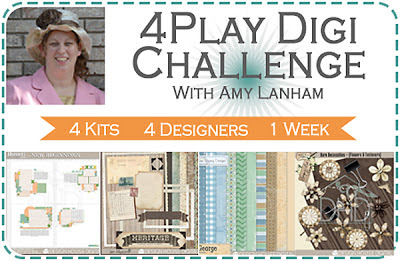
1st Challenge for Design House Digital. 4 kits, 4 designers, 1 week

Well Hello today is Design House Digital's Monday challenge 4 play digi challenge.  Hosted by Amy Lanham she selected  4 great kits to play with

Design House Digital 4 Play Challenge for march


New Beginnings Templates by Courtney VanSickle

Heritage Mini Kit by Jen Allyson

George Digital Papers by Diane Rooney

Bare Necessities – {Flowers and Fasteners} by Vanessa Fenton

They were so brilliant that even though I wasn't officially supposed to start decorating for Design House Digital until next week. I begged to join in the challenge. I'm not usually one for working with templates, but Courtney's templates  are a doddle to work with and I really enjoyed it. I loved Jen's Heritage Mini kit and Venessa's Bare Necessities (Flowers and fasteners) will be a great and very useful addition to my digi kits. The George papers were fantastic and I especially liked the background paper which I can see me using over and over and over again)

So here is my layout

Design House Digital 4 Play Layout For March 4th

I used elements from all the kits which you can get along with many others in the Design House Digital Shop
You can see all the other Design House Decorator 4 play brilliant los on the Design House Digital Blog

So that's it  from me for today.

TOMORROW, TOMORROW You'll love my post TOMMOROW
It will answer a friends recent question. What crafting softwear do you use and why? 


Sunday, 3 March 2013

Design House Digital and Rattytatty

What a hectic week I've had. I'm getting ready to be a fully fledged team Member at Design House Digtal a great Digital shop. Anyway as soon as it was decided that I would be Joining their illustrious team. The laptop died and  my A3 printers printhead failed. However nothing stopped me, when I saw the fantastic March House Party kits entilted "Fabulous"  and they are fabulous and you can find them here.

I couldn't wait to start playing so here is my Fabulous LO


The Layouts from the team members were all brilliant and can be seen here but my fav I think is


by Design House Decorator Cheryll Ann. You can see her gallery here.  I adore the colour scheme used. Hopefully I will be able to print of some papers on my Lazer printer and do a hybrid project. Hopefully I will post it on Monday.

Bye for now


Wednesday, 27 February 2013

Its been a long time away

I have been meaning to get back to blogging about craft for the last couple of months. After 3 years away its a bit of a steep earning curve. Everything is different. However I am so excited. I have been crafting still over the last few years and have learned so much more than I knew.

Anyway there will be a few exciting developments over the next few weeks. Can't wait to get started on them.

I am currently re organising er no organizing (its never really been organized before) my craft room. Its going to be a long job, but Im really excited about some of the things I am doing to get it organised.

So that's it from me for today. I will be back very soon

Rattytatty
Monday, 25 February 2013

Well its only been 3 years but now I'm back LOL. I am  hoping to get my blog up and running again. Get it full of great craft projects and craft tips. Can't wait to share all my new ideas and projects.

Thursday, 15 January 2009

Challenge 26. Something with Whiskers

HAPPY NEW YEAR


Well 1stly I have to appologise to my team mates for messing up the challenge LOL.

Secondly I have to admit that my challenge examples are not all that I hoped they would be. Due to the fact that since just after Christmas i have my 23 year old daughter and 1 year oldf grandson back home camped out in my craftroom. With half of their belongings.


So just getting anything to work with was a challenge in itself. Although its lovely to have my grandson at home.

Our sponsor Joanna Sheen sent is some amazingly cute and useful stamps to play with, and the prize stamps are really really cute as well.

Anyway less of the addo

So here are my examples


Here is my old bag card. Does anyone know how to photograph mirriboard as It just looks really bad on all of my cards. Anyway You may wonder where the whiskers are on this card, But all old bags have whiskers.
I stamped the cup onto mirri board and it looks great in real life . I distressed the edge of the card as all boys love to get grubby


A really girly card made with the footballer set. I just love the adaptability of the stamps they don't just have to be for the boys.

Well its now 2am Thursday morning and I am shattered, we have been running around looking at houses for the last 4 days and I have also been looking after my grandson. I must admit to be absolutly shocked at how tiring it is. Im feeling like a very old bag tonight .

Night all

Thursday, 11 December 2008

This Thursday Naughty or Nice

The This Thursday challenge this week is sponsored by Cosmo Cricket.
Yippiee. We were sent the most stunning Christmas papers. I adore them. Every die cut embellishment, Every journalling card , and sentiment border. In fact there isn.t a single pice of paper that I don't love

Anyway the challenge was Naughty or Nice and I choose nice . So here are my examples for this week

Entitled Jakes 1st Christmas is almost here . I used the most georgeous paper for the background its trully stunning . everything except the trees The snowflakes and the deer embellie bottom right came from the pack. They are so easy to put together and create a lovely layout.

This card uses a journaling block and a diecut star from the pack . Plus both the papers as well > I added Zoomz to the tips of the star and a brad Thats all

This Simple snowman card takes a couple of minutes. I poped out the diecuts for thr snowman Cut a strip of the striped paper and cut A happy Christmas from one of the border strips . Everything is from the pack

Here are my 2 Babys 1st christmas cards. I used a bookatrix board and mirriboard for the backs. The one on the left is for a little boy The one on the right for a little girl . I used die cuts on the card on the left. Then used the apetures as templates to create the ones on the right . I added some gems and ribbons.

We have decided that this is the last challenge before Christmas. this will give the design team time to catch up on Chritmas preparations and allow me to make sure that This Thursda starts with a bang in the new year.

So Happy Christmas everyone

Thursday, 4 December 2008

This Thursday challenge 24

The challenge at This Thursday , this week is Mistletoe and Wine. Which I must admit I found slightly challenging at 1st as I own no wine images or embellies.


As most of my recent Christmas projects have been contemporary I decided to go with a traditional feel So I raided my Joanna Sheen CD for some Mistletoe images. So here are my three very traditional Christmas cards.


This card has textured wallpaper from a wallpaper sample book that I got from a wallpaper shop. Great for unusual backgrounds . I cut all the edges deckle. always reminds me of christmas . The central oval is decoupaged on the 1st which I edged with white glitter


This Is my Mistletoe and champagne card . I decoupaged this great image from Joanna sheen created a dl card black with white glitter paper. the ribbons were from a Ideal world kit


I love this image it was a free download not Joanne sheen If you type in mistletoe and vintage into google and look for images . A great freebee download site comes up. If I get a chance later today I will put ite details in,

Anyway thats it for me for today , am looking after my grandson who is teething so I am fitting the blogs in around him. Oh but hes so cute.

Thursday, 27 November 2008

This Thursday Challenge 23

Hello

Well I am feeling a lot better than I was , so I hope I will soon be back to my usuall self and managing to get comments on all your entries.


Anyway this week our sponsor is Funky Fairies Papercrafts and we got to play with the lovely Chocolate Covered Christmas download and the Cristmas rounds Download. I really could nt believe just how much there was in the Chocolate Covered Christmas download. Word albums, A brag Book all sorts of boxes. A brilliant set of papers and loads and loads more as well. So I really had to stop myself as I still have so many ideas to work on .
Anyway here are my examples for this week.


I used 2 of the brilliant shaped mats from the download for this card . I also used my graphcs package to copy and paste the Merry Christmas from one of the other trees onto this one

I was really amazed to find word albums in the download , and they are so easy to use. I thought that the Joy album would be a great Gift for a little girls Christening . I used Prima flowers and jems and the sticker at the end says Bloom


I printed of lots of trees and made this tree border card


I loved all the boxes that were on the CD> I used my graphics package to place one of the mats on the center of the box before printing out > Iadded Prma flowers and some jems to finish.#

These were from the Christmas rounds. I used my graphics package to remove all the white. Then used fill to fill the different areas with the papers from the download. I used different sized fills of the same papers.I thought that these would be a great way to decorate your christmas table . I printed the large one as big as I could get it onto an A4 sheet. Just print off how many you need. Cheap quick and cheerful I added glitter pen in the wording and on the swirls . I am going to make matching paper napkin rings , with the same rounds on the front. I am also going to make some Christmas card hangers with these as the tops for my dining room .
Hope you like these.
catch you laters

Thursday, 20 November 2008

This Thursday challenge 22

Hello all


Thanks for your comments last week.


Well feeling slightly better this week. So I have managed three examples for this week. This weeks challenge is playing with paint so I got my watercolour paints out as I havn't used them for ages.


Our sponsor is Toodle and Binks a new stamp manufacturer you can see them at http://www.toodlesandbinks.wordpress.com/,

We had three great stamps to play with. They are quite whimsical images which are not usually my style but I really enjoyed using them . Plus Zooms which I now love . They are small glass nugets with no holes which are great as they give amazing dimention .


anyway here are my three examples


I coloured the stamped image with watercolour paints and I really love this little dear stamp its so cute I added Zooms to create a border. The papers were both from a pack of Mic papers
I used powder paint on this canvas, I bought these paints ages ago they are very strongly pigmented . So I wet the canvas and sprinkled dry paint over the canvas. I stamped the image onto pearlescent card and onto a handmade paper which i cut out for the wings. I also added clear sakura glitter gel dots to the dress. I then used Cosmo Cricket rub ons for the Whimsy and flourish . I think the rub ons are called beautiful . Then added some Zooms
I used Cosmo Cricket get happy papers added some White acrylic smudges around the edges. I used the Pop quiz peice from the get happy paper pack and Stamped simone onto it. I used watercolours to colour stamped image. I added some pop questions about the 80#s. Added the reality Check from the same paper pack . Stamped Oh my God we're getting so old along the top and bottom wedhes. then stamped some random retro flowers . I added the die cut Cosmo cricket flower and a Zoom for the centre. Then I folded a 12 by 12 sheet od DCWV card in half and adhered panel for an XL DL card .

So thats my efforts for this week. Can't wait to see what you all come up with